
Stop Handing Out Local Admin for an IP Address Change
Every admin knows this ticket. A user is at a customer site, a branch or in a lab, needs a static IP address or a different DNS server, and Windows answers with a UAC prompt. The usual workarounds are temporary local admin rights, a remote session from the helpdesk, or a LAPS password read out over the phone. None of them are great.
With the October release (2610), Intune Endpoint Privilege Management has a better answer: the elevation system settings policy. It lets standard users change IPv4, IPv6 and DNS server values on their network adapters, without broad admin rights and without deploying a separate tool. It even works when the device is offline, which is usually exactly the moment the user needs it.
How to set it up
-
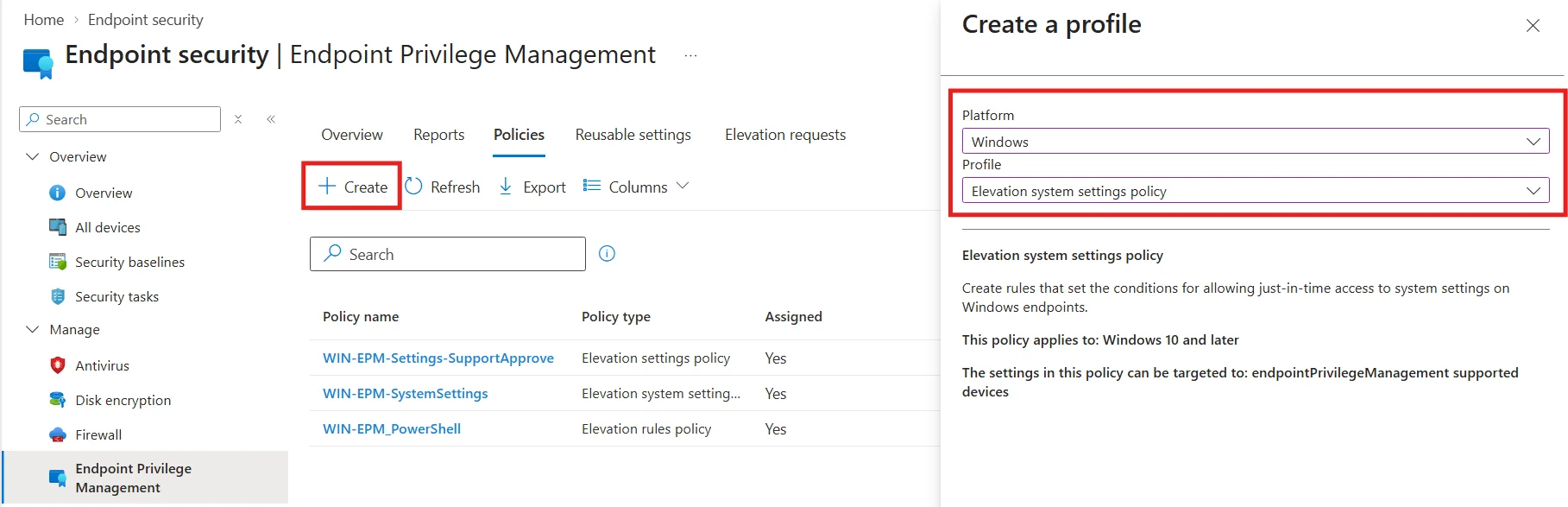
Go to Endpoint security > Endpoint Privilege Management > Policies > Create Policy.
-
Platform Windows, profile Elevation system settings policy.
-
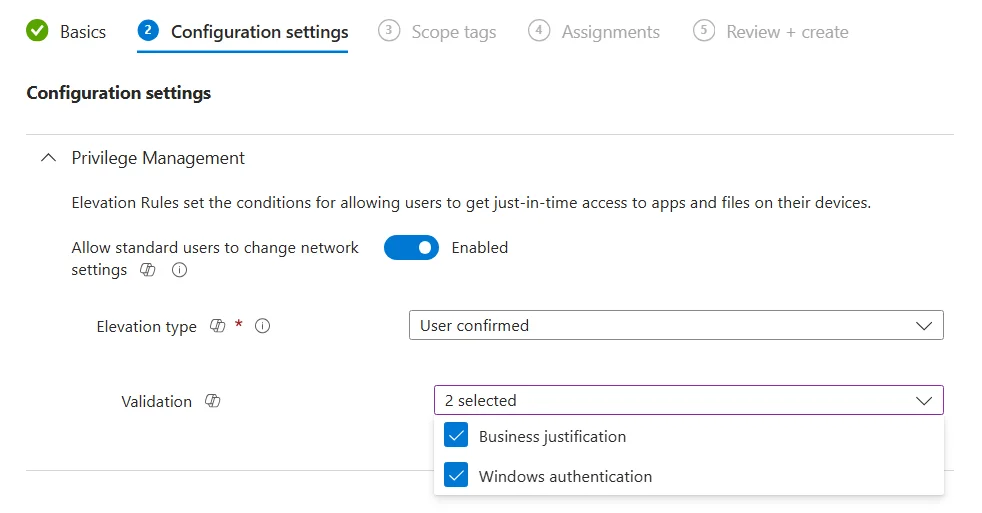
Add a rule and select Network settings as the system setting.
-
Choose the elevation type: Automatic or User confirmed. With User confirmed you can require a business justification, Windows authentication, or both.
-
Assign the policy to your groups.
What the user sees
After the next policy sync, the user opens Company Portal > Help & support > System settings > Edit settings.
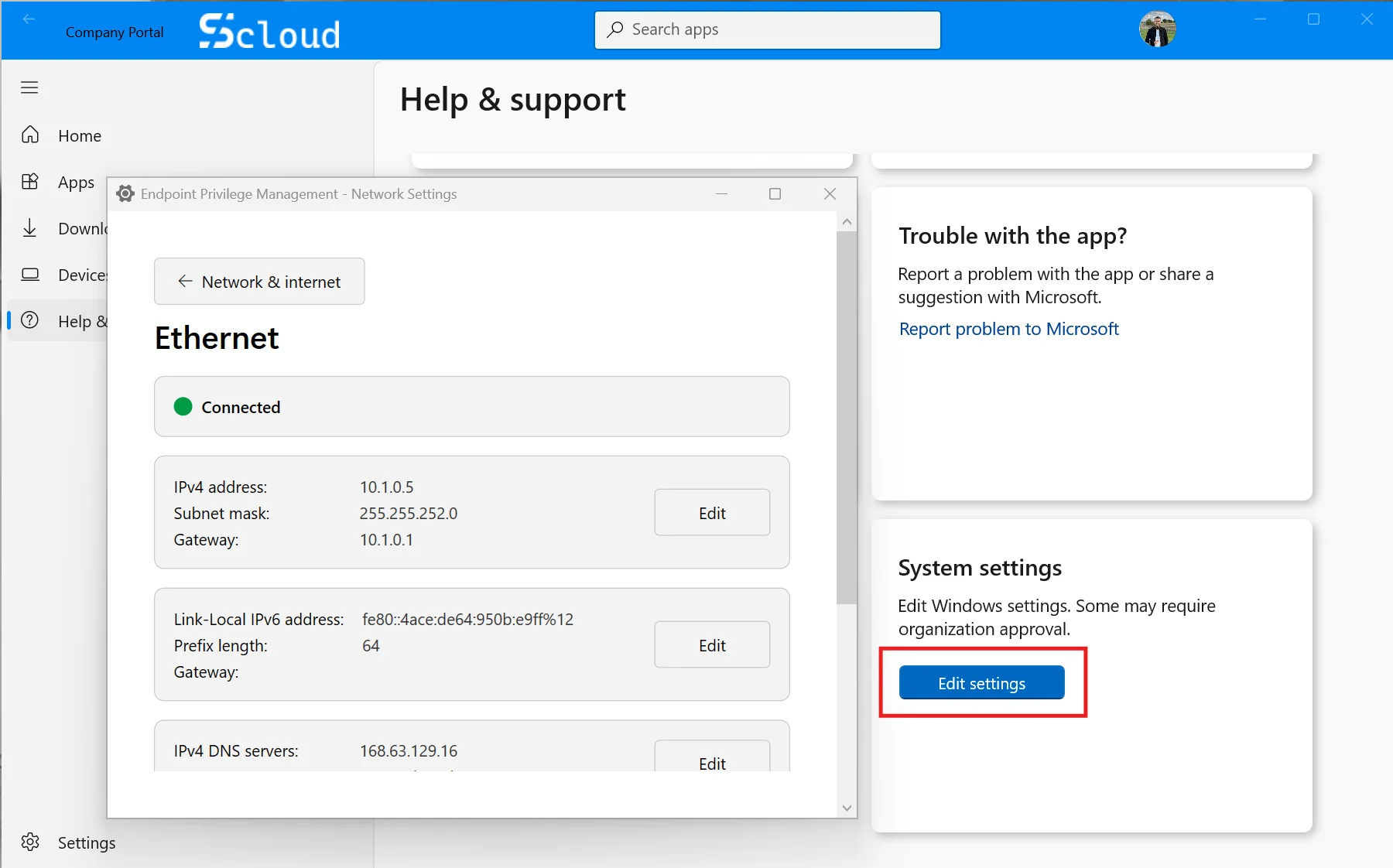
No ticket, no admin rights. If you require a justification, the user confirms the change with a short reason.
Gotchas
- No tile in Company Portal? The device also needs an elevation settings policy that enables EPM. The system settings policy alone does nothing.
- Not in your tenant yet? The feature is rolling out gradually.
- Scope is limited. It covers adapter settings only. This is not a way to elevate any Windows setting.
My recommendation
Go with User confirmed plus a business justification. You get a clean audit trail and you quickly see which locations still rely on static addressing. Just make sure someone actually reads those justifications.
Head of AI
Jannik brings deep expertise in AI integration, modern infrastructure, and enterprise transformation at scale.
Leading Expert
Florian specializes in Intune, endpoint management, and security with extensive real-world enterprise experience.