
Your BitLocker Compliance Might Fail Because of Your Firewall
Your Windows 11 devices are encrypted, Secure Boot is on, everything looks fine. Yet they suddenly show as not compliant, Conditional Access kicks in and users lose access. The device isn’t the problem. The attestation endpoint is.
The nugget
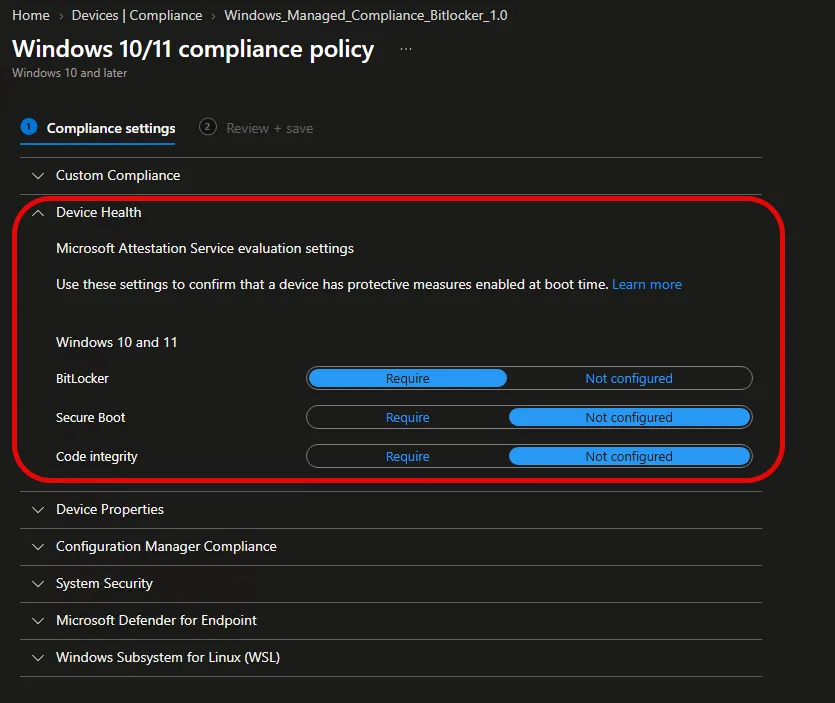
If you use any of the Device Health settings in a Windows compliance policy, Windows 11 devices now attest against Microsoft Azure Attestation (MAA), based on your Intune tenant location.
Windows 10 and GCC High/DoD keep using the old DHA endpoint has.spserv.microsoft.com and aren’t affected.
If your firewall blocks the new MAA endpoints, Windows 11 devices with BitLocker, Secure Boot or Code Integrity checks fall out of compliance.
Microsoft also announced this in the message center: MC1473600. Intune migrates the Health Attestation evaluation from the Device Health Attestation (DHA) service to MAA on the service side, targeted for the end of Q1 2027. You don’t have to change anything in your policies, but your network has to be ready before then.
How to Set It Up
- Find your tenant location. Intune admin center > Tenant administration > Tenant status > Tenant details > Tenant location.
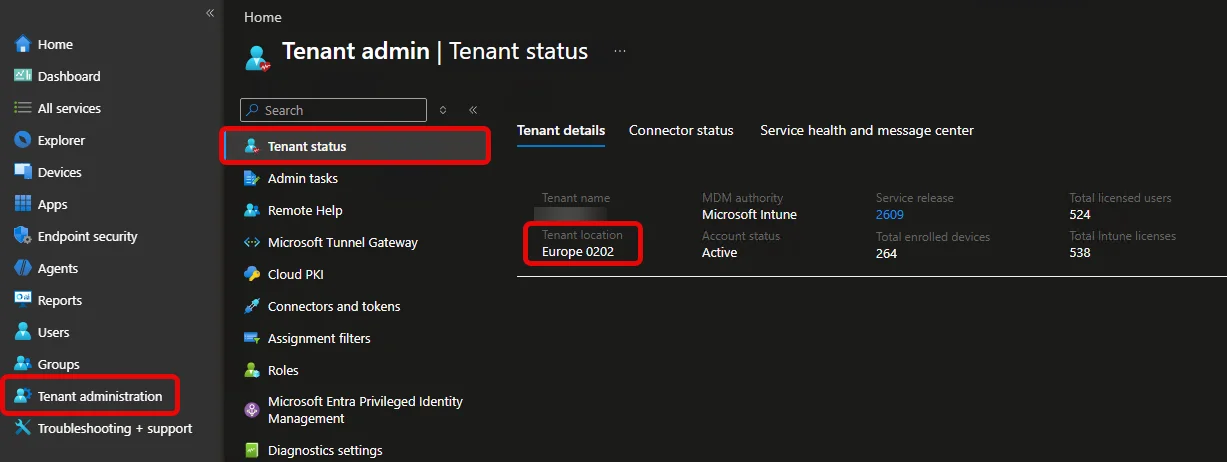
- Allow the MAA endpoints for your region on outbound HTTPS 443.
- Exclude them from SSL inspection. Microsoft requires that no SSL traffic inspection is in place for these endpoints.
- Keep the old DHA endpoint. You still need
has.spserv.microsoft.comfor Windows 10 and government clouds.
Europe
intunemaape7.neu.attest.azure.net
intunemaape8.neu.attest.azure.net
intunemaape9.neu.attest.azure.net
intunemaape10.weu.attest.azure.net
intunemaape11.weu.attest.azure.net
intunemaape12.weu.attest.azure.net
North America
intunemaape1.eus.attest.azure.net
intunemaape2.eus2.attest.azure.net
intunemaape3.cus.attest.azure.net
intunemaape4.wus.attest.azure.net
intunemaape5.scus.attest.azure.net
intunemaape6.ncus.attest.azure.net
Asia Pacific
intunemaape13.jpe.attest.azure.net
intunemaape17.jpe.attest.azure.net
intunemaape18.jpe.attest.azure.net
intunemaape19.jpe.attest.azure.net
Bonus
Watch out if you copy from the consolidated endpoint list at the bottom of the Microsoft Learn page. The North America tab lists six endpoints, but intunemaape6.ncus.attest.azure.net is missing from the consolidated list. Go by the regional tab.
Source
Head of AI
Jannik brings deep expertise in AI integration, modern infrastructure, and enterprise transformation at scale.
Leading Expert
Florian specializes in Intune, endpoint management, and security with extensive real-world enterprise experience.