
Intune Deployments: Staged Rollouts Without Duplicate Policies
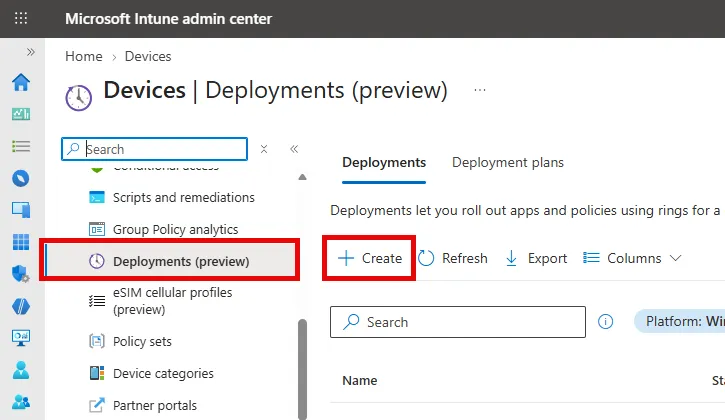
Intune now has deployment plans and deployments, currently in public preview. They let you roll out an app or policy in rings with defined delays, instead of building pilot and production stages through cloned objects and manual assignment changes.
Why This Matters
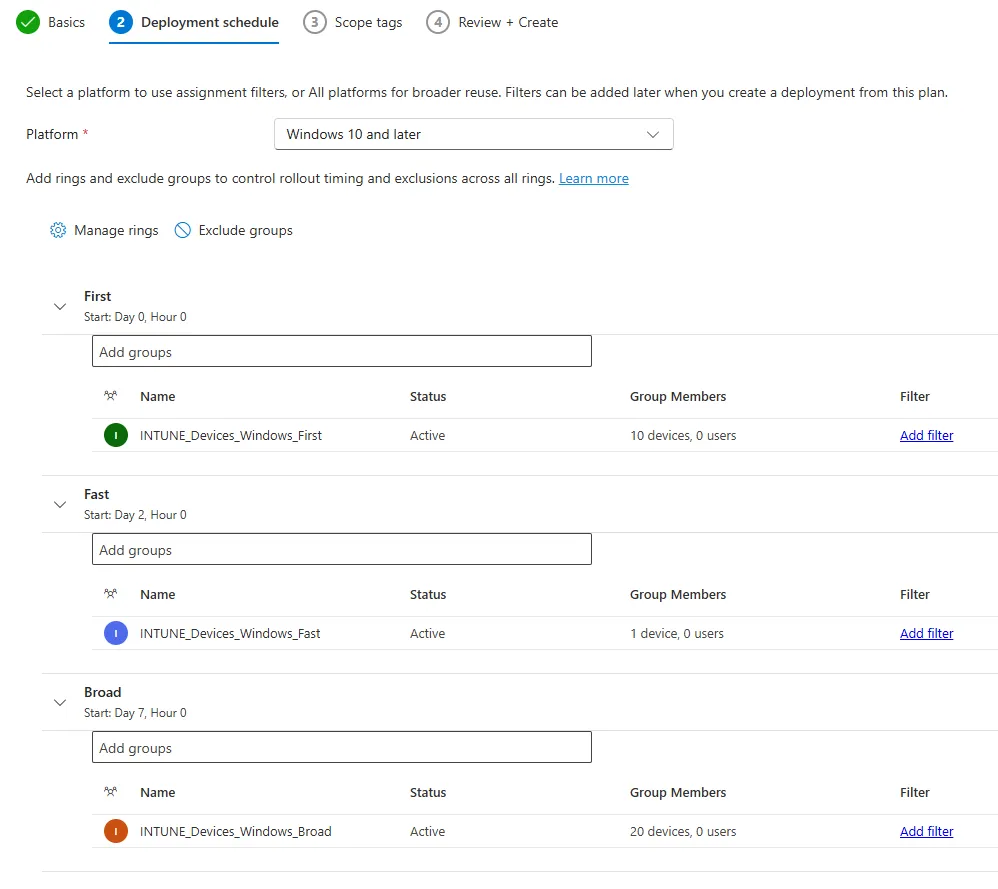
A deployment plan is a reusable template holding rings, groups, filters, exclusions and the deferral between rings. A deployment applies that plan to exactly one payload and adds each ring’s groups to its Required assignments as the ring activates. When the final ring — for example All devices or All users — kicks in, it replaces the earlier ring groups.
That is the real win. No more “Policy Pilot” sitting next to “Policy Prod”, no orphaned pilot assignments months later, and you can pause or cancel the deployment once a ring starts failing. The payload stays the source of truth, so direct assignment changes still win.
When to Use It
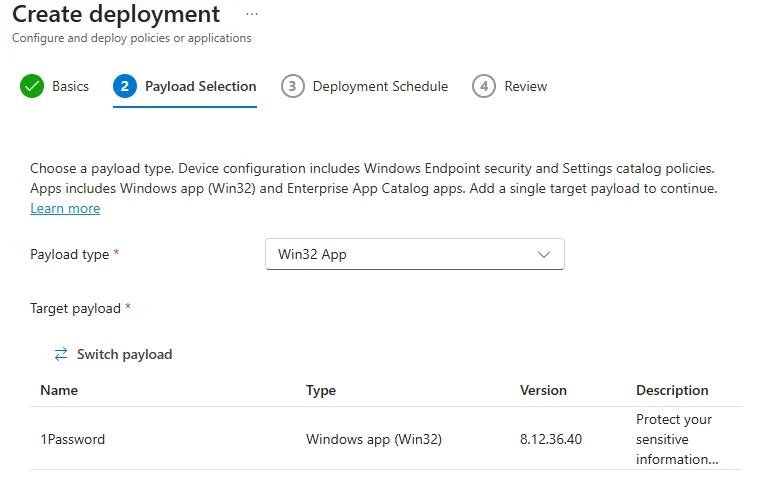
Windows changes where a mistake hurts: ASR rules, firewall, BitLocker, core Win32 apps. Supported payloads are Win32 apps, Enterprise App Catalog apps, Settings catalog policies, and Endpoint security policies. It’s a good fit if you already run IT, pilot, and broad rings by hand and want every admin to follow the same pattern.
When Not to Use It
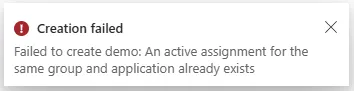
It’s preview, and Windows only. Apps support Required intent only — no Available or Uninstall — and Enterprise App Catalog apps lose Automatically update once they’re in a deployment. Ring groups and the schedule are fixed after creation. A group assigned both directly on the payload and inside a ring blocks creation outright — Intune refuses to create the deployment rather than quietly colliding later. Third-party patching tools such as Robopack can’t use it yet.
Example Scenario
A new ASR rule set usually goes to the IT group first, then a pilot group, then someone adds All devices and forgets the rest. Months later the policy carries four overlapping assignments nobody dares to touch. With a deployment, the stages run on schedule and the end state is clean.
Recommendation
Build two or three plans that match your real ring model and reuse them for every high-impact Windows change — that’s the point of a plan being a template instead of a one-off wizard.
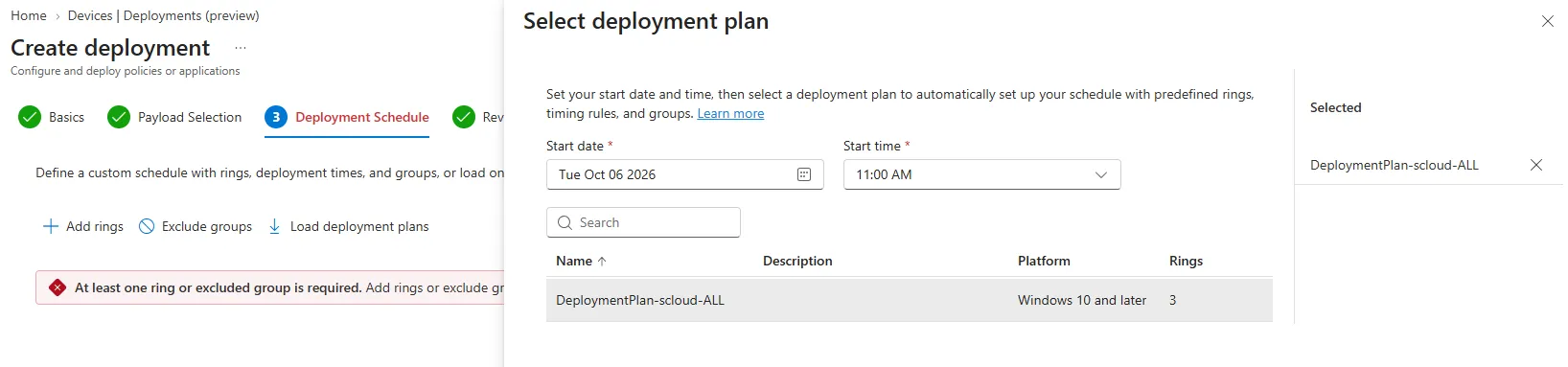
Remove existing direct assignments first to avoid the creation-time collision above. I’d love to see the same model opened up to third-party patching like Robopack, where ring discipline matters most.
Stage the rollout, not the policy: one payload, one plan, no leftover assignments.
Sources
Head of AI
Jannik brings deep expertise in AI integration, modern infrastructure, and enterprise transformation at scale.
Leading Expert
Florian specializes in Intune, endpoint management, and security with extensive real-world enterprise experience.