
Intune App Inventory: Would You Trust 7-Day-Old Data?
Would you remediate a critical app vulnerability using inventory that may be seven days old? Enhanced Intune app inventory refreshes multiple times per day—but migrating the data source can quietly break reports, privacy boundaries, and automation.
It also captures far more detail than Discovered apps, making it a better foundation for security, application management, and future agent workflows. Still, this is a data-source migration, not a cosmetic report update.
The Problem
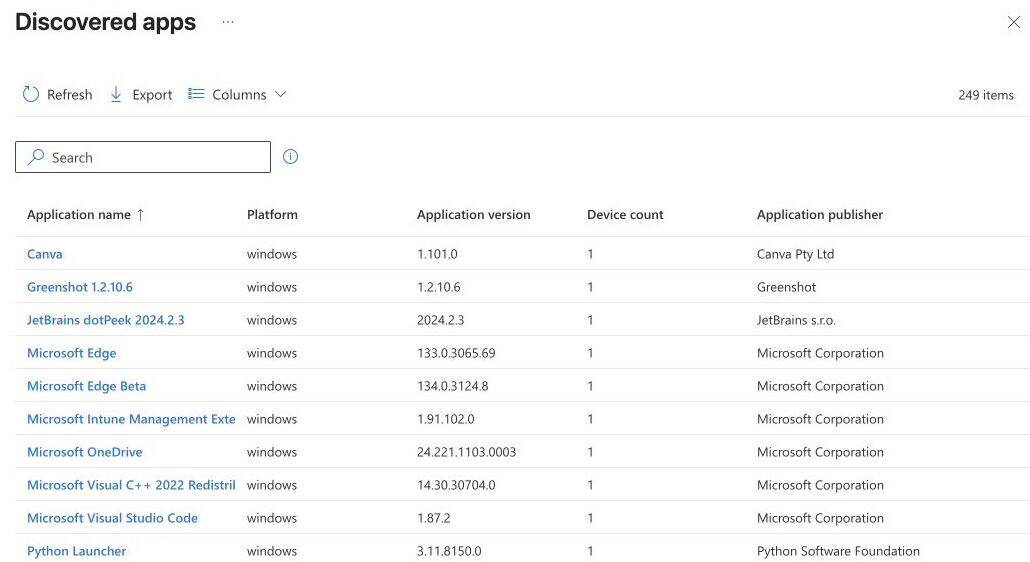
Discovered apps typically refreshes every seven days, with a 24-hour exception for Win32 data collected through the Intune Management Extension. It reports basic properties such as name, version, publisher, and device count.
That cadence is too slow for fast vulnerability triage or software-change validation. It also lacks operational fields such as install location, size, uninstall command, architecture, install scope, and user identity.
The nugget
Use five checks when adopting Intune app inventory:
| Check | What to validate |
|---|---|
| Coverage | Intended corporate Windows 11 devices receive the Properties Catalog policy |
| Freshness | Active devices report multiple times daily, and on current agent builds an individual app change can surface within minutes; offline devices are identified |
| Properties | Required app fields are selected, populated, and mapped correctly |
| User and privacy | Per-user installations and Entra user identifiers match governance expectations |
| Consumers | Reports, exports, vulnerability workflows, EAM, and automations use the right source |
Run app inventory and Discovered apps together during transition. Microsoft states that both can coexist and that app inventory is the intended long-term replacement.
Why This Matters
The enhanced inventory collects Win32 applications from system and per-user uninstall registry keys. Store apps come from the Windows package manager. The first sync uploads a complete data set; later syncs send only changes.
This creates a richer operational picture, but names and metadata can differ from managed app assignments because the data reflects what is installed on the device. Platform-specific identifiers also map differently for Store, MSI, and other Win32 applications.
User context needs governance. Per-user installations can include the associated Entra user ID and user name. Confirm who may access or export that data, especially in delegated administration models.
Removal behavior matters too. After the inventory policy is removed, collection can continue for roughly three days as an offline-device buffer before data is removed from the service.
Freshness can get sharper still. Independent testing of the current Device Inventory Agent build found that individual app changes can be detected, validated, and uploaded in about five minutes instead of waiting for the next four-hour collection cycle: the agent watches registry and package-registration locations for changes, validates the pending event against the last known application state, runs a targeted collection scoped to App Inventory only, and uploads just the delta. The four-hour cycle still runs underneath as the safety net. This behavior sits behind Microsoft’s flighting system and is not yet documented, so validate it in your own pilot before depending on it.
This data layer directly strengthens Intune Vulnerability Remediation Agent workflows: prioritization is only useful when application versions and device populations are current.
What Admins Should Do
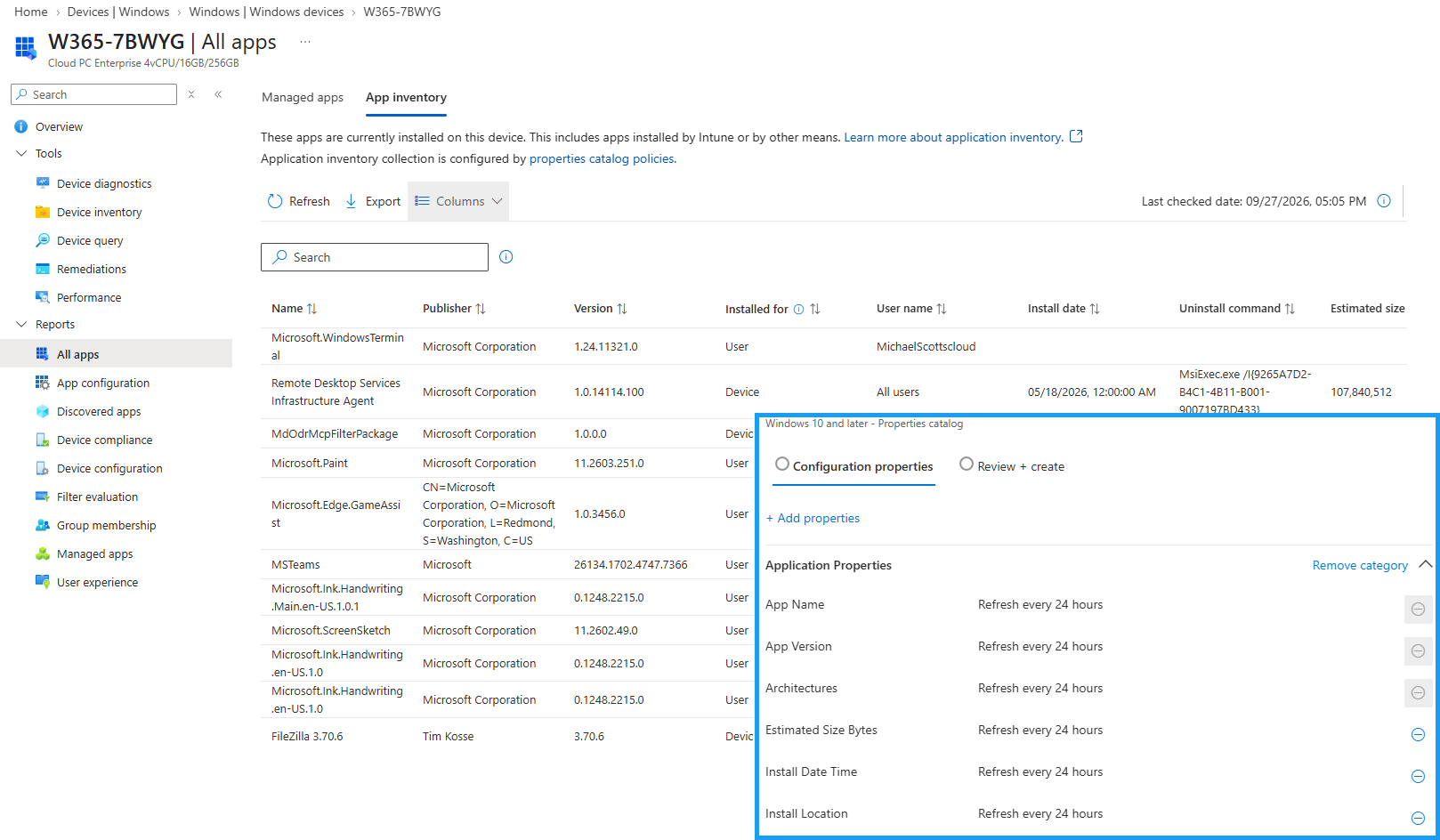
- Create a Properties Catalog policy for a representative Windows 11 pilot group.
- Select only the properties required by security, EAM, support, and asset consumers.
- Capture a baseline from Discovered apps and the new App Inventory tab.
- Reconcile app counts, versions, install scopes, users, and missing devices.
- Update reports and automation only after field mapping is proven.
- Expand in stages and maintain an exception queue for stale or non-reporting devices.
Do not promise real-time inventory. “Multiple times per day” is fresher, but device check-in, connectivity, and policy delivery still determine when data appears.
Verification Path
Install, update, and remove one test application on a pilot device. Measure when each change appears — note whether it surfaces within minutes or only at the next scheduled cycle — verify the expected delta record, and compare the installed values with the managed assignment metadata. Repeat for a per-user installation.
Pro Tip
Define a freshness service-level objective before connecting inventory to automation. For example, route devices with no recent inventory into an exception queue instead of letting stale data drive remediation or license decisions.
Sources
Head of AI
Jannik brings deep expertise in AI integration, modern infrastructure, and enterprise transformation at scale.
Leading Expert
Florian specializes in Intune, endpoint management, and security with extensive real-world enterprise experience.