
Agent 365 Security: 5 Checks After the Cutover
A green Defender dashboard does not prove that your old AI agent controls still enforce policy. Microsoft’s Agent 365 security transition changed licensing, inventory, hunting, and real-time protection on July 1, 2026.
If your tenant uses Copilot Studio or Microsoft Foundry agents, verify the new control path now. Configuration that still exists in a portal can create false confidence when its underlying enforcement or data source has moved.
The Problem
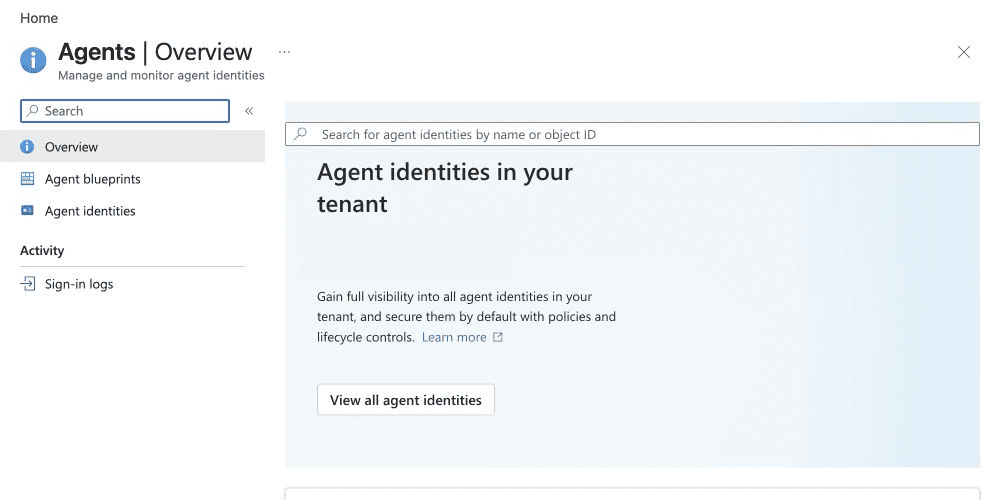
Agent security capabilities that were previously covered through Defender for Cloud Apps or Defender for Cloud now require an eligible Microsoft Agent 365 license. Without one, tenants lose agent-level discovery, posture, threat detection, and related investigation capabilities documented for Copilot Studio and Foundry agents.
The change is not only commercial. Inventory, hunting telemetry, block policies, third-party discovery, and alert workflows also move.
The Nugget
Run these five post-cutover checks:
| Check | Evidence to collect |
|---|---|
| License | At least one qualifying Agent 365 license enables the service; verify the users and scenarios that require coverage |
| Inventory | Expected Copilot Studio and Foundry agents appear in the Agent 365-backed registry |
| Hunting | Saved queries and detections no longer depend only on AIAgentsInfo; prepare for AgentsInfo |
| Enforcement | Required block rules exist in the new real-time protection policy experience |
| Response | Alert workflows consume Agent 365 observability logs and BehaviorInfo where applicable |
Microsoft Agent 365 is generally available for commercial customers and licensed per user. Microsoft says at least one user needs a qualifying license to enable Agent 365, but that service prerequisite is not a substitute for validating your actual coverage requirements.
Why This Matters
The highest-risk detail is blocking. Microsoft states that existing Agent 365 rules configured to Block stopped blocking on July 1. To resume enforcement, admins must define rules under Settings > Security for AI > Policies & rules > Real-time protection.
Keep the scope precise: Microsoft separately documents Copilot Studio real-time protection through Defender for Cloud Apps as unchanged for tenants that continue using that experience. Do not migrate rules blindly; map every existing control to its documented successor.
Advanced Hunting also changes. Agent inventory moves from AIAgentsInfo to AgentsInfo, while real-time protection behaviors can be queried in BehaviorInfo. Saved queries, workbooks, custom detections, and downstream automation should be reviewed as code dependencies, not left to fail silently.
Third-party cloud agent discovery needs attention too. Microsoft directs customers to Agent 365 registry sync, currently documented as preview, after discovery through Defender for Cloud connectors changes.
What Admins Should Do
- Export the current agent inventory and compare it with the Agent 365 registry.
- Confirm eligible licensing and the consolidated Security for AI Agents toggle.
- Search repositories and workbooks for
AIAgentsInforeferences. - Recreate required Agent 365 block rules in the new policy experience.
- Trigger a controlled test event and prove the alert, behavior record, automation, and ticket path end to end.
Assign one owner across Microsoft 365, Defender, and the AI platform team. A handoff gap between those teams is exactly where a licensing change becomes a monitoring gap.
Verification Path
Do not accept screenshots of enabled toggles as proof. For each critical agent type, capture four artifacts: registry presence, a successful hunting query, a controlled enforcement result, and a received alert or downstream workflow event.
Pro Tip
Test one policy that should block and one that should only audit. That pair proves both enforcement and telemetry while exposing rule-order or scope mistakes quickly.
Sources
Head of AI
Jannik brings deep expertise in AI integration, modern infrastructure, and enterprise transformation at scale.
Leading Expert
Florian specializes in Intune, endpoint management, and security with extensive real-world enterprise experience.